SP-2610 GPS Product Review
by Joe Mehaffey
Release 10(*) updated, 12 March 2004
 .
.
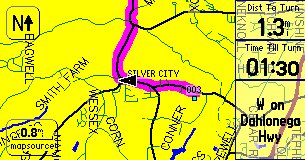
StreetPilot 2610 Kit
Daytime
Map Colors
.
StreetPilot 2610 Kit
Daytime
Map Colors
*The
Garmin StreetPilot 2610 is in
Garmin's latest generation of GPS receivers with street level
mapping and automatic route navigation for your car. It is their first
model with Finger TOUCH SCREEN for data input and control -and- map
storage up to 2GByte CF memory cards -and- USB data interface for
map loading and data input/output. The 2GByte CF card will hold
the entire CityNavigator 5 maps (1.44Gbytes) for the USA (including
Alaska/Hawaii) and the maps of covered Canada areas. This sleek
unit has the GPS
antenna integral within the unit and is designed to fit on top of
your dash and provide you with visual and audio directions for
navigating your car on unfamiliar streets and roads. A
battery powered IR remote
control is provided so that passengers can program the unit even from
the back seat. ALL functions of the SP2610 are operable from
both the main unit and
the remote. Unfortunately (for the kids),
Garmin did not
choose to put any games in this model.
We think the StreetPilot 2610 has the best
USER INTERFACE we have seen in a car navigator. There are four push
buttons for major functions (PAGE/mark, MENU/route, FIND/recent, and
SPEAK/volume. (The first function requires a momentary button press,
the second requires that you hold the button in for about 2 seconds.) New to
SP-2610 is that it is designed without internal batteries and operates
ONLY when plugged into an external 10 to 24vdc power source.
Uniquely (to Garmin equipment), the SP2610 automatically turns ON and
OFF with the power application from its external power cord. A switch
is provided to turn the unit on and off manually as desired.
SP-2610 was designed from the ground up to economically replace
the
combination of GPS/Laptop Computer/Mapping
Software system that many use to maneuver around cities in the
USA.
Here a comparison
note with respect to the Magellan RoadMate 500/700 which is the direct
competitor of the SP2610. Both have plusses and minuses with
respect to features. The Magellan 700 is THE simplist to use of
any car navigator we have reviewed. It is also the only unit to have
"all USA maps" installed right out of the box. On the other
hand, it has far fewer "normal GPS features" as compared with the
SP2610/2650 series. The SP series has slightly better guidance
information in complex expressway interchanges and with optional memory
can also be configured to hold the entire USA and available Canadian
maps in a single Compact Flash memory card. Which one is "best"
depends 100% on your needs and on your interpretation of what features
are "essential". In this review, we will tell you about the
rich feature set of the SP2610/2650 units. Our Magellan RoadMate
review can be found in our product review listings.
Street priced at about $800 (Can be bought for up to $999), (Check Latest Prices Here.) the SP-2610 is one of the lowest priced Automatic Car Navigator -and- One of the best performers.
With the SP-2610 and a copy of Garmin's
(NavTech
derived) CityNavigator 5 mapping program, a user will have the most
detailed highway and residential street level maps available for the
USA
today. The USA coverage area for NavTech maps is
the entire USA plus a bit of Canada. The SP-2610 allows a
user to automatically route using both the CityNavigator maps and/or
the
Base Map. Thus, with a "routable base map", you can
automatically route from an address in New York City to San Francisco
with only CityNavigator map sections for NYC and SFO loaded. The
base map will provide information (and "road lock") for all highway
routing between metro areas. Garmin provides the only
autorouting system that I am aware of that can do this sort of
intercity
routing without the need to load intermediate maps as you go from one
NavTech region to another. (There are 10 NavTech regions in the
USA and Canada combined.) Garmin is shipping the SP-2600 with its new CityNavigatator 5/MapSource 5 map system. (CityNavigator
automatic routing maps are only
available for the USA, Europe and Australia as of Sept
2003). Garmin
tells us that they plan to have a City Navigator 5 release available
for Europe, but have no immediate plans for a CN5 version for
other
areas of the world. Note that with the huge (up to 2GByte)
map memory capability of the SP2610/2650 there is little reason
to worry if
your basemap is, say, for the USA and you want to load European
maps. Still, I would advise those in countries other than
the USA that having the basemap of your own area IS a great
convenience. As an example, European basemaps do a passable
job of covering Eastern Europe for which other maps are not available.
SP-2610 comes with a set of permanent "base maps" showing all state and federal
highways and major thoroughfares in towns
and cities throughout the USA and in fact North America as well. These basemaps can be used for
navigation on interstate and major highways so you do not have to load
detailed maps for your entire journey. As with In
addition, SP-2610 can be loaded with CityNavigator RESIDENTIAL street
level detail maps (furnished as part of the SP-2610 kit) of any USA area and (optional at extra cost) a variety of
overseas locations including much of Europe and many cities in Australia.
The large CF memory modules (standard/can be purchased locally) coupled
with the routable basemap can totally eliminate periodic map
loading. A 256meg cartridge can load detailed maps for about 10
states (varies with road density). Twice that for a 512meg CF cartridge. As a rough planning guide, a rule of thumb for
calculating storage card capacity is: 4 megabyte for every million
population in North America
Compatible
maps include: CityNavigator (NavTech Maps, the best GPS routable
maps available in areas covered), MapSource MetroGuide USA (Etak
Maps,
good maps but not quite as up to date as NavTech and only USA version
4.01
has autorouting capability within SP-2610). Roads &
Recreation, USA Topo, and WorldMap CD ROMs also work with SP2610, but
without automatic guidance. Probably most other Garmin maps will
load into the SP-2600, but Garmin supports only the above.
64, 128, 256, 512, 1GB and 2GByte megabyte CF memory cards are
available. Our recommended
minimum size is 128megs which is the size that comes bundled with the
SP-2610 kit.
The StreetPilot 2610 is straightforward to use, and the manual is a bit better than average. Still, there is no substitute for a few hours of "playing around" with the unit in consort with the manual for quick learning and discovery of available features.
The CityNavigator (NavTech) map offering is necessary for the Automatic Address-to-Address routing to work to street address level. We have reviewed the VDO Dayton, and the Datus RouteFinder A2A/VCO, and the prior StreetPilot III systems, the Garmin iQue 3600 and have used the Magellan 750Nav units. The SP-2610 provides automated guidance on a par with any of these and in fact much more routinely gives routing "the same as I would have chosen". A number of routing errors noted on the prior SP-III have been corrected. Sometimes the route generated is "just OK", but after all, SP-2610 is just a machine. The downside for SP-2610 as compared to the $3000 models is that many of the more expensive models have some sort of "dead reckoning" capability to permit navigation to continue for short intervals when signals are lost. Such signal loss can happen in "city canyons" such as NYC, Chicago, LA, and London where high rise buildings can block the satellite signals. This "dead reckoning" capability will be available in the (coming soon) Garmin StreetPilot 2650. The 2650 will require a connection to the automobile speedometer output and backup light to be able to function in dead reckoning mode. Without these inputs, it will function as a SP-2610 so it can be used portable as well as fixed install. Connections for the speedometer and backup light signals are located on the side of the speaker case. Note that the SP-2650 will ONLY be sold by dealers who INSTALL the SP2650. This is because Garmin feels that most people are prone to get into all sorts of trouble if they attempt to find and interconnect with under-the-dash car wiring.
As to CityNavigator map sizes, the
four central Atlanta "map chunks" are about 1.5 megabytes each, and
other area "map chunks" range from 400 kbytes to 2.0 mbytes. To see
EXACTLY what CityNavigator maps look like for YOUR area, click HERE and
select CityNavigator on the map viewer. Keep clicking on the
map until you get your area in whatever detail you want. You
can route to covered highway intersections just using the
basemap. The SP-2610 comes with a 128meg CF card, but as with
many things, MORE is better. The latest firmware version
for the SP-2610 can load up to 2025 "map chunks" and the entire CN5
takes 1050 "chunks" and
1.44Gbytes. It seems that the SP2610 will not run out of "map
chunk"
capacity before you fill up your 2GByte CF card.
Selecting individual "map chunks" when
you want to load maps for 10 states can take quite awhile.
MapSource 5 has a new (slightly hidden) feature to make this
EASY. With the map tool selected in CN5/Mapsource 5, simply hold
down your mouse button and drag. You can go to this link and watch the MapSource tutorial, which will explain how the new LARGE AREA map selection feature works.
Automatic ROUTE GENERATION with SP-2610 with its GWS** mhz ARM processor is the fastest I have seen on any stand alone GPS Car Navigator. On "better route" the calculation of a 400 mile route usually takes about 5 to 10 seconds. This compares to close to a minute with the SP-III. One trial route from Atlanta to an address in Los Angeles took about 2 minutes with the SP-III and 20 seconds with the SP-2610 which seems extremely fast by comparison. Offroute, reroute recalculation with the new "Partial Reroute" algorithm typically takes about 1 second and it (generally) tries to take you back as quickly as possible to your ORIGINAL route. It does this the first THREE times it goes "off route, recalculating". On the fourth "off route" it figures out you are serious about not going back to the original route and does a complete recalculate which on a local (25 mile) route usually takes just a few seconds. (SP-III ver 2.50 is using this same algorithm and it seems to be confusing some folks, but I personally like the speed so much I am willing to put up with the first three reroutes not necessarily taking you the optimum route. If you do not like the "partial reroute" offered, you can always press the ROUTE key and then press "recalculate".)
CityNavigator offers the capability of
generating a route automatically
ON THE PC as well as within the SP-2610. This permits users
to generate a series of automatically generated routes and load these
into other Garmin GPS receivers as well as the SP-2610.
Frankly, using the PC is not the thing you will USUALLY do as the
SP-2610 is much easier and more convenient to use as compared with
generating routes on the PC and then
having to download routes to the GPS navigator. If you do
download routes to your SP2610, be prepared for it to leave your
assigned route
and reroute you
the first time you leave the precalculated route UNLESS you turn off
automatic recalculate. The
CityNavigator (NavTech) maps offer
coverage of the covered USA Metro Areas AND much of the rural areas
with superior road detail.
Details as to which lane to be in and which way to turn onto exit ramps
at complex expressway interchanges is frequently included. The
SP-2610 uses
a USB connection for map and data loading. Note: Garmin
tells us that MapSource version 5 has the capability of loading maps
much faster if you take the CF card out of the GPS and insert it into a
CF card reader/writer installed in your computer.
CN5 has a total of 1.414Gbytes of Data and 1050 map sections for those curious.
NMEA data I/O is NOT available on the SP-2610. However, it IS to be available on a separate-from-the-USB RS232 serial port on the SP-2650. This RS232 port is designed to be used with certain OEM automobile applications. The NMEA data format is to be NMEA 0183 ver 3.01. SP-2650 also has a TEXT OUT facility giving fixed column ASCII output of position, track, speed, etc. The 2650 requires a sine wave or square wave speedometer signal for operation. The older analog speedo signal will not work. You should consult your car dealer about this item BEFORE buying a model 2650.
Note: As of this date, NO OTHER map products (from alternative vendors) can be uploaded into Garmin GPS receivers except those offered by Garmin for the purpose. This same proprietary relationship exists for other vendor's consumer GPS products as well.
This new SP-2610 is designed principally for automobile use and its size, the high power drain, absence of an internal battery, and lack of off road or marine features make it unsuitable for hiking or boating use.
What's new in StreetPilot 2610?
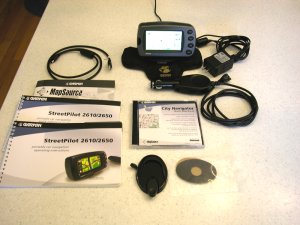
The SP-2610 DELUXE kit contains: SP-2610 GPS, 128meg CF memory Card, Speaker/power cable, USB data cable (for memory and data load and NMEA output), Dash Mount Bracket, "bean bag" portable mount, AC power module for use in loading memory, CityNavigator 5 CDROM, and Manual.
The SP-2610 gets rid of almost ALL of the error effects of GPS measurement error that bother so many people. When you use CityNavigator the SP-2610 will "lock" your vehicle track to roads as long as you travel on the road. (This feature does not operate with MapSource R&R, USA Topo, or WorldMap.) Automatically generated routes using CityNavigator maps "rubber band" to the roads in the route. Once in a great while, you may find an isolated road segment where the map is so far off that road lock will jump off the road, but it is rare. In addition, with the 2650, you get a built in acoustical gyro which (when given an external speed input from your speedometer) can give you precision car guidance even in downtown city areas where buildings, trees, etc. block the signal for short periods. The gyro recalibrates itself each time you make a turn onto a new street/road so you can go for an indefinite time without the GPS signal. (Maybe there is a new product hidden here.)
Another useful
feature with
CityNavigator (and MetroGuide 4.01) maps is that (when not in
guidance mode) all
approaching cross street names are displayed prior to
arrival. Note that MetroGuide 5.x maps are really not too
useful in a SP2610 as they do not offer automatic route generation.
We
found the SP-2610 audio and visual guidance directions very
satisfactory. SP-2610 automatically varies its
"turn here" warning time to give you more warning time at
high speed than at lower speed. A typical audio/visual sequence
would go something like this:
An alternative screen shows a listing of turns to come. Another screen display is the trip computer.
AUTOZOOM zooms the screen in and out automatically as you approach waypoints and turns so you always have time to make decisions. A blue pop up arrow on the left side shows distance to go and direction of the turn as you approach a turn.
Route selections for CAR or TRUCK or BUS, Motorcycle, Taxi, Delivery Vehicles, Bicycle, Pedestrian, or EMERGENCY vehicles are provided so you can be properly routed depending on your vehicle type.
The accessory CityNavigator now features about five million (USA) "points of interest" on board. These include: Food and drink, Lodging, Attractions, Entertainment, Shopping, Services, Transportation, and Emergency and Government. In our area, there were a few restaurants we had not known about and a few prominent ones are missing. Despite some obvious updates and additions, the restaurant listing (still) appears to be about 2 years old. Listed "Attractions" include theme parks, museums, schools, parks and such. The listings were quite satisfactory though the placement of a particular restaurant or gas station might vary plus or minus a few hundred feet (once, half a mile) from the actual location. This feature could be very handy in a strange city.
The user can give the GPS a Street Address
or Street Intersection or select one of the, for
instance, Restaurants in the accessory map data base
module and it will LOCATE this address or location automatically
and plot it on the map screen. The SP-2610 can then
automatically create a "turn-by-turn" route to this destination from
wherever you are. This is a very useful feature and it has worked
very well in our tests. Be prepared for a few well known items
(such as my local library) to be missing from the "attractions"
list. Still, if you are unfamiliar with an area, what
IS included will be quite useful.
Are 128 megabytes of MAP MEMORY enough?
SP-2610 has a map memory of 128megs "standard". We think the 128 megs will be enough for most users-- at least for starters. And..buyers
can purchase CF memory cards up to 1Gbyte (about $200) or 2GBytes ($650) if
more memory is needed. The fact that the full USA coverage
basemap can be used for navigation on interstates and major roads and
highways mitigates the need for full coverage of the high detail maps--
but... Personally we do like to have the full detail maps loaded just
in case we need services or a good restaurant while on the interstate
highway.
When
you need complete detail for a PARTICULAR city or rural
area you are going to visit, you can load (from your laptop or
other IBM type Personal Computer) high detail maps from
CityNavigator 5 into the CF memory card. Map Memory can be loaded
either via the USB cable or directly into the CF memory card using
MapSource and a CF card adapter and MapSource version 5.xx or later.
So.. If you are going from, say, Chicago to San Francisco and
back to Miami with a stop in Denver, you might load detailed maps
for the four urban areas of interest and let the basemap be your guide
for other areas and still have lots of empty memory in your user map
cartridge for other areas. The unit automatically transitions
from the basemap to the detailed maps when the detailed maps are
available and back again as you move out of the detailed map
areas. While it is quite easy to load new maps from a laptop
computer into your SP-2610, you could just have multiple map
cartridges and plug in a new (preloaded with maps) cartridge for
various areas if you did not have ready access to a computer on a
lengthy road trip.
We may not be able to afford the 2Gigabyte map memory we all wish for,
but smaller map memory is quite flexible and the basemap goes a long way toward making 128megs
of map memory sufficient for most users. That said, DO NOT
expect that the basemap is as accurate as the CityNavigator maps from
NavTech. There will be some areas where the map error is larger
than 150ft and the SP-2610 will think you are offroute and will claim
it
must recalculate. This is a minor irritation for some people but
if you just ignore the problem when it (fairly rarely) occurs, things
work out fine.
What are the Technical Specifications of the SP-2610?
Specific Questions Answered:
We do not recommend SP for hiking or marine activities due to its reduced feature set optimized for automobile use.
The SP-2610 used for this review includes no basemaps outside the Northern part of the Western Hemisphere. The unit has has a rudimentary political map for the world but essentially no roads are shown outside Canada, USA and Mexico and Central America. . The basemap of North America includes maps of USA interstate, national, primary and secondary state highways, cities, larger towns, waterways, rivers, and coastlines and high population parts of Canada and Mexico. (Note: See Garmin Base Maps description for more information on Base Map content.) Base Maps are included in the SP-2610's internal memory while USER Uploadable Street Maps on CD ROM provide street level or topo detail of user selected areas which are loaded to the 64meg to 2048meg (2GByte) CF memory cartridges.
Additional SP-2610 features include:
The trip computer is improved beyond the SP-III. With SP-2610, you will notice that, like the SP-III, when you come to a stop, the estimated times do not go to infinity, but hold a realistic value. The GPS calculates estimated times based upon road classes in your Route and modifies the estimation by your actual speeds on the various road classes. It also computes the actual road distance between turns (waypoints) instead of using straight line distances. The results give fairly accurate estimated time to various points, even when using different road classes, like traveling on the freeway, and then exiting later on some local roads. Your estimates will not only be based upon your current highway speed, but by the combination of speeds you are using, or will be using on the various road classes. We note that the SP-2610 was within 10 minutes on one 400 mile highway drive we made after it "learned" our driving speed habits.
The GPS has the standard HOST mode which allows the upload/download of waypoints, routes, tracks, etc., OR use the GPS for tracking with the NMEA output WITHOUT having to change from GARMIN to NMEA mode and vice versa. The SP external power/data cable and active antenna MCX connections are different from other Garmin GPS equipment including earlier StreetPilot models. It is doubtful that as of September 2003 any third party software is available to interconnect with Garmin's USB data port on the SP-2610..
The data fields, on the main display screens ARE configurable. By pressing the MENU button, and tapping Tab Setup, you can select Customer Tabs from the Mapping option as a Tab Style. While still on that page, you then press the MENU button again, and you can choose which tab data field you would like to configure and chose from a list of optionsthat will be listed.
CityNavigator's Find-an-Address feature includes: Recent Finds, Cities, Exits, Addresses, Intersections, Points of Interest, Food, Lodging, Services, Entertainment, Attractions, Shopping, Transportation, Emergency and Government and Waypoints. However, some of the locations of restaurants, hotels, etc. are misplaced by considerable distances. Since the data is at least a year old, some businesses are "missing" but overall the data is quite accurate and useful.
When not routing, a "Driving Status"
line on the Map display indicates such
information as "Driving South on Roswell Road near
Sandy Springs".
This can be quite useful in cities where you don't
exactly know which street you are on. Also as you are driving, the name
of each approaching side street is displayed allowing finding side
streets in the dark.
A photocell in the rear of the unit senses ambient light level and automatically dims/brightens the display as needed.
Datums- The 2610 (like the SP-III) only provides WGS-84 so any external mapping program which cannot use WGS-84 directly OR convert WGS-84 to its required datum will give larger than normal map position errors.
45 ICONS are available in the SP-2610 to identify user waypoints and mark routes. Icons include airport, bank, boat ramp, car, dam, post office to zoo for a total of 45.
Street
pricing of the SP-2610 is about US
$800 or less and includes: 128 meg memory cartridge, speaker/power
cable, CityNavigator CDROM (full USA/Canada license), Glue down mount,
Bean Bag (portable) mount ( which we find works amazingly well on
curved dashboards), USB data interface and cable, AC 12vdc
PSU for indoor use loading maps
Since we wrote the
review, there have been a number of software updates some with
major feature enhancements. Version 2.95 (beta) has some of the
more useful updates including:
Features and Operation
The SP-2610 has a direct and easy to use routing system. The user:
The SP-2610 operates (only) from external power in the range of 10 to 24 volts DC. The SP-2610 uses FLASH memory internally and has no memory backup battery. The LED backlit display lighting has a rated design life of 100,000 hours. The SP shuts down when power is removed and (uniquely for Garmin equipment) turns back ON when external power is restored. (Assuming the rocker power switch is ON.)
A special Power/Speaker cable is supplied with SP-2610. The data/power cable used is NOT the same as any prior Garmin cable connector. You will need the (industry standard) USB DATA cable (furnished) to load maps into your SP-2610 and/or to upload/download routes/waypoints/tracks to your PC computer. There is NO capability with the SP-2610 for a standard RS-232 serial cable. The SP-2650 WILL have an added RS232 data port for special uses.
The external antenna connector, a MCX coax jack, is located on the right rear of the unit just behind the keys. The MCX jack is powered (nominal 2.7 volts no load in our unit) and has a current limit rated at 25 ma to protect the unit from shorts on the antenna cable. The normal antenna is built inside the unit and is not removable as in prior StreetPilot units. The Garmin GA-27C (Garmin part number 010-10052-05) amplified antenna, some from Tri-M, and other 3 volt rated antennas work with the SP-2610. We believe most other 3 volt antennas will work as well.
The SP-2610 does not support NMEA-0183, DHCP and RTCM. The SP-2650 will include NMEA but definitions are not now available. Garmin has included its standard HOST MODE and no other option.
Operating temperature range is specified as -15C to +70C. Unique in their class, Like Garmin handheld GPS receivers, SP is rated submersible to one meter per IEC529 IPX(7) with gasketed memory door closed. The maximum altitude rating is 60,000ft and speed maximum is 999 knots.
Feature Details:
The SP-2610 has a large number of features and displays. These include:I have tested the SP on roads and highways of North Georgia and Atlanta including several interstate trips. Our SP has worked properly at all times as far as we could tell.. Generally, tracking worked well. No 3rd party support software or map software is compatible with the SP-2610/2650 at this time.
The SP performed on a par with other GPS units in every test for lock stability, multipath performance, re-lock after an underpass, and ability to suddenly change direction without loss of lock. The SP laid down smooth tracks on our highway maps during all tests. No gaps, jumps, etc. (The SP-2610 has data smoothing like the SP-III.)
We note that all SP models including the SP-2610 have a form of "dead reckoning" for moments when signal dropouts occur. For instance, if the SP-2610 is tracking along and just before a sharp turn you invert it and block its antenna, it will continue to track straight for about 30 seconds. It also provides a very good data smoothing filter to throw out random fixes that are way off track. This results in an exceptionally smooth track on a moving map display even with the "road lock" option turned off. Even with this filter, there was no overshoot apparent during quick stops, sharp turns, and similar maneuvers when normal continuous tracking was taking place.
SP-2610 performance under tree cover and city canyon conditions was about the same as the earlier SPs, G-V, G-II+, G-12XL, and we rate that as very good.
We found the display controls easy to learn and use. The overall 2610 system is quite comprehensive and complex. However, what the average user has to work with on a day-by-day basis is very simple to understand and manipulate. Users will find it much easier and faster to use than similar data entry features on the SP-III. The menu system and arrangement is generally quite intuitive and easy to learn to use.
Since the SP-2610 and SP-III exhibited essentially identical tracking performance in our tests, we did not perform the extensive field trials we made with the G-12XL, EE, and others. For more information on tracking results with our testing of the G-12XL, and the G-II+, etc., see our reviews at: http://gpsinformation.net
Summary
Our overall impressions are that the StreetPilot 2610 is a new generation of low cost Automobile Navigation Systems. While it is not the least expensive of the truly automatic self contained address-to-address car navigation systems (SP-III, iQue 3600, G-60C and some other PDA based systems are less expensive), we consider the SP-2610 to be the best in the low price class of Car Navigators. At about US$800, (Check Latest Prices Here.) we think the SP-2610 is a great product for the money. In fact, we think the GUI is the easiest to use of any car navigator we have tested with the exception of the Magellan Roadmate which has fewer features. With the SP-2610 and its optional 2GigaByte CF Map Memory Card, I believe we can eliminate having to use paper maps for automobile road navigation (in the covered areas of the world).
*What DON'T we like about the StreetPilot 2610? 1) As with other Garmin Car Navigators, entering street names can be a problem. You might know a street name as AC Lewis Road, Ac Lewis Road, or A C Lewis Road or Baywater or Bay Water or Baewater and the spelling may/may not match the local convention. The user MUST spell it like the Garmin/NavTech database or the address cannot be found. This can lead to not being able to find a street that you know is there. NavTech tells us that their convention is to run initials together and use caps, so you might try that if you get stumped with a street name with initials. 2) POIs are often in "groups". There may be several groups of restaurants by the same name (different franchises I am guessing) and you do not readily know in which group the closest store can be found. 3) POI groups are incomplete (though they are VERY helpful). I find that some post offices and libraries in my local area are not included, but MOST are. 4) On occasion, we see the router generate "funny routes" such as taking a busy numbered federal highway instead of a nearby freeway. Overall, the SP-2610 performs as well or better than other Car Navigators we have used. NavTech tells me that these problems WILL be looked at if users will go to http://update.navtech.com and fill out the report form. Lets ALL do it! 5) During Installation, you MUST install the MapSource software BEFORE you plug in your GPS or things will not go smoothly. It is also necessary to handle each disk more than once during installation.
Which GPS do I like to use now when I go on automobile trips? The StreetPilot 2610. Would I take it hiking or boating? No.
If anyone has any additions, questions, suggestions, error corrections other comments, please feel free to Email.
Notes: (*) Freshly changed items.
(**) means Garmin Won't Say.